Is LinkedIn Learning Free? (Honest 2026 Answer)
The short answer: LinkedIn Learning is not free, but there are several legitimate ways to access it at no cost, including a one-month free trial, your local library card, and bundled LinkedIn Premium plans. Here is everything you need to know about LinkedIn Learning pricing in 2026.
LinkedIn Learning Pricing in 2026
LinkedIn Learning offers two main standalone pricing tiers:
- Monthly plan: $39.99 per month
- Annual plan: $19.99 per month, billed as $239.88 per year
The annual plan works out to roughly half the cost of monthly billing, making it the better deal if you plan to use the platform consistently. Both plans give you unlimited access to the full library of 21,000+ courses across business, technology, and creative topics.
If you are already paying for LinkedIn Premium, LinkedIn Learning is included at no extra charge. LinkedIn Premium Career runs $39.99/month and LinkedIn Premium Business runs $59.99/month, both include full Learning access.
4 Ways to Get LinkedIn Learning Free (or Nearly Free)
1. Use the One-Month Free Trial
LinkedIn Learning offers a one-month free trial to new subscribers. During the trial you get full access to every course, learning paths, and LinkedIn Premium features. No content is locked behind a paywall during the trial period.
To avoid being charged, cancel before your trial period ends. Cancellation takes under two minutes: go to your account settings, select the Learning section under Account Type, click Manage, then choose Cancel Subscription and follow the prompts.
2. Check Your Local Library
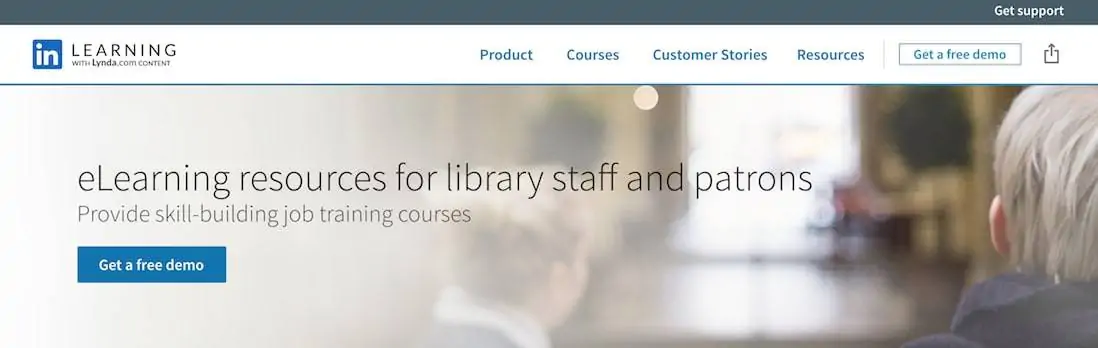
This is the best-kept secret in online learning. Thousands of public libraries across the US, UK, Canada, and Australia have partnerships with LinkedIn Learning that give cardholders completely free access, with no credit card required.
To find out if your library offers it, search Google for your library name plus “LinkedIn Learning.” Alternatively, visit your library website and search for “LinkedIn.” If your library is a partner, you log in with your library card number instead of a paid subscription.
3. Check Your University or Employer
Many universities and large employers have institution-wide LinkedIn Learning licenses. If you are enrolled in university or work for a mid-to-large company, there is a reasonable chance you already have free access through your organization. Check with your IT department, HR team, or student services portal before paying for a personal subscription.
4. Bundle It With LinkedIn Premium
If you are job hunting or building your professional network, LinkedIn Premium Career ($39.99/month) comes with LinkedIn Learning included. Instead of paying $39.99 for Learning alone, you get it as part of a Premium plan that also includes InMail credits, applicant insights, and profile visibility tools. For active job seekers, this is often the more valuable option.
What Do You Get With LinkedIn Learning?
A paid LinkedIn Learning subscription includes:
- Unlimited access to 21,000+ courses across business, tech, and creative topics
- Certificates of completion you can add directly to your LinkedIn profile
- AI-powered course recommendations based on your career and skills
- Learning paths: curated course sequences for specific skills or roles
- Offline viewing via the mobile app
- Subtitles and transcripts in multiple languages
The platform skews toward professional development: software skills, project management, leadership, data analysis, and marketing make up the bulk of the catalog. It is not the right tool for deep technical certifications (for that, look at platforms like Coursera or DataCamp), but for broad professional skill-building it covers a lot of ground efficiently.
Are There Any Completely Free LinkedIn Learning Courses?
LinkedIn does offer a small number of individual free courses and learning paths, typically tied to current events, featured skills, or promotions. These are accessible without a subscription or trial and are worth checking before you commit to a paid plan.
To find them, visit the LinkedIn Learning homepage without logging in and filter courses by “Free.” The selection is limited compared to the full library but can be useful for a quick skills introduction or to test whether the platform format suits your learning style.
Is LinkedIn Learning Worth Paying For?
Whether it is worth the monthly cost depends on how you plan to use it. LinkedIn Learning works best for professionals who want to build soft skills, stay current on workplace tools like Microsoft 365 or project management software, or earn recognizable certificates to display on their LinkedIn profile.
If you are looking to build technical skills in areas like data science, programming, or cloud computing, platforms like Coursera or DataCamp may give you better depth and more recognized credentials. For a full comparison, see our best LinkedIn Learning courses guide, where we break down which subjects the platform covers particularly well.
For most casual learners, the library hack is a better starting point than paying outright. Use the free library access or trial to explore the catalog, then decide whether it fits your needs before committing to a subscription.
Who Gets the Most Value From LinkedIn Learning
LinkedIn Learning is not the right fit for everyone. Here is a breakdown of who tends to get the best return on the subscription cost.
It works well for professionals who need a broad library of business, technology, and creative skills. If you are a project manager, a marketer, or an operations professional who regularly needs to pick up new software or frameworks, the unlimited-access model justifies the price. The same goes for HR professionals who want to build a learning culture without paying for individual courses.
It works less well for people who want deep technical training. If you need to go from beginner to job-ready in Python, data science, or software engineering, you will hit the limits of LinkedIn Learning fairly quickly. Platforms like Coursera or Udemy offer more rigorous, project-based programs for those goals, often at lower cost per course.
The best time to pay for LinkedIn Learning is when your employer reimburses it or when you are actively job searching and want to add relevant skills to your profile quickly. Completed courses show up on your LinkedIn profile automatically, which sends a small but real signal to recruiters browsing your background. If you are undecided, start with the free trial to see whether the course library matches your actual skill gaps before committing to a subscription.
Frequently Asked Questions
Is LinkedIn Learning free with a LinkedIn account?
No. A standard free LinkedIn account does not include LinkedIn Learning. You need a paid subscription, a free trial, or access through a library or institution.
How long is the LinkedIn Learning free trial?
LinkedIn Learning offers a one-month (30-day) free trial for new subscribers. Full course access is included throughout the trial period.
Can I get LinkedIn Learning for free with a library card?
Yes, if your public library has a LinkedIn Learning partnership. Thousands of libraries in the US, UK, Canada, and Australia offer free access to cardholders. Search your library website for “LinkedIn” to check.
Does LinkedIn Premium include LinkedIn Learning?
Yes. All LinkedIn Premium plans, including Career ($39.99/month) and Business ($59.99/month), include full LinkedIn Learning access as part of the subscription.
How do I cancel LinkedIn Learning?
Go to your LinkedIn account settings, find the Learning section under Account Type, click Manage, then select Cancel Subscription. Complete the remaining prompts to finish cancellation.