
Learn How To Create An NFT With 2024‘s Top 13 Best Free Online Blender 3D Courses
If you are a beginner who wants to know how to create dazzling 3D models or games using Blender 3D, you’re in the right place! This is the most popular software that 3D artists using to get in on the NFT craze.
In this guide, I cover some of the best free online Blender 3D courses in 2024 that are will teach you the ins and outs of this powerful software.
With many of these tutorials, you will learn how to create 3D models, animations, game characters, environments, mint NFTs and more!
Let’s get started!
Top 13 Best Free Online Blender 3D Courses & Tutorials 2024
1. Blender 3D: Your First 3D Character (Skillshare)
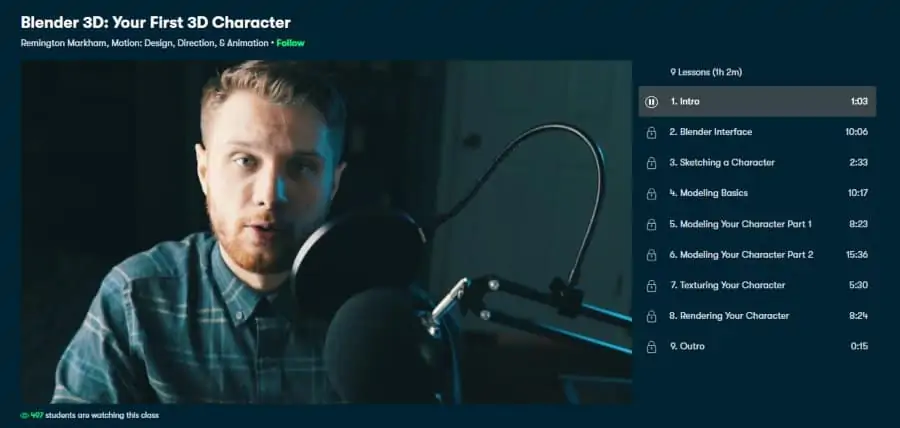
For beginners looking for a crash course in Blender 3D, this is a fantastic place to start! Not only will you learn the basics of Blender 3D, but you will also learn how to make your very first 3D character in Blender from start to finish. You will also be joining 7,000+ students who have already completed this class!
Your instructor will be Remington Markham, who currently works at Facebook as an animator and posts regularly about 3D modeling and motion design on his YouTube channel, SouthernShotty. So for real-world skills from an industry expert, this class is a great introduction.
After a short introduction to the Blender interface, you will begin learning features of the software that include modeling basics, sketching a character, modeling a character, texturing, and rendering. While going through these lessons, you will also be designing your very own character, which makes this class extremely actionable for new users.
Overall, this is a quick online Blender 3D course (1-hour) that is perfect for anybody looking to get their first model built in Blender and see if it is something worth pursuing. P.S. there is also a 1-month free Skillshare trial to take advantage of!
- 1 hour
- Most popular Blender course on Skillshare
- Entertaining teacher
- Great for game development
- Actionable lessons
- 1-month free trial available
- Over 7,000 students
Activate FREE Skillshare Trial
2. Blender 2.8: Your first day – get the basics right (Skillshare)
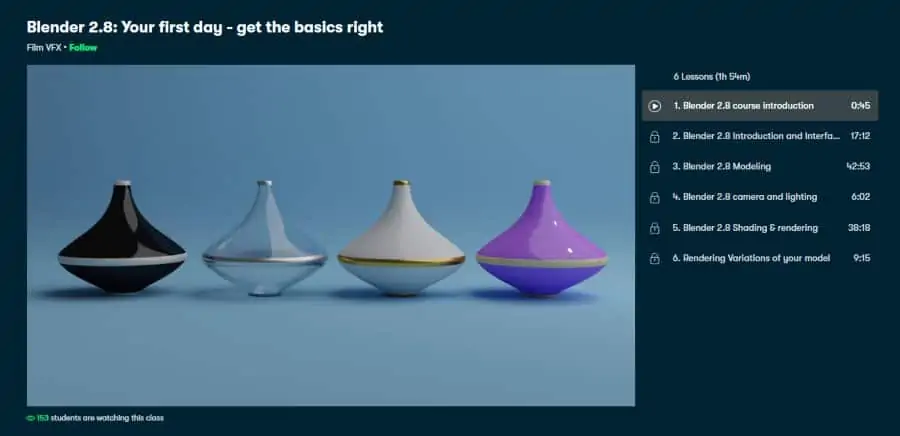
Next on my list is another beginner-level online Blender 3D course that guides users through this software step-by-step. Like the above class, students also get to create their own 3D objects when following along.
As for your instructor, you will be led by Film VFX, who is a highly rated teacher on Skillshare who has helped 10,000s of students learn tools like Blender 3D, Davinci Resolve, and Adobe Audition to name a few.
Some of the lessons included in this 2-hour class include an introduction to the Blender 3D interface, how to start modeling, how to use camera/lighting, master shading/rendering, and how to get different variations and perspectives of your model.
Being hosted on Skillshare, users get access to class projects, downloadable resources, class community, and a 1-month free trial to see if it’s right for you. Overall, this is one of the best online Blender 3D ideal for beginners!
- 2 hours
- Learn to create ceramic and glass vases in Blender
- Highly rated
- 1-month free trial available
- Over 4,000 students
- Over 120 class projects from other students
Activate FREE Skillshare Trial
3. Blender 2.8 Essential Training (LinkedIn Learning)
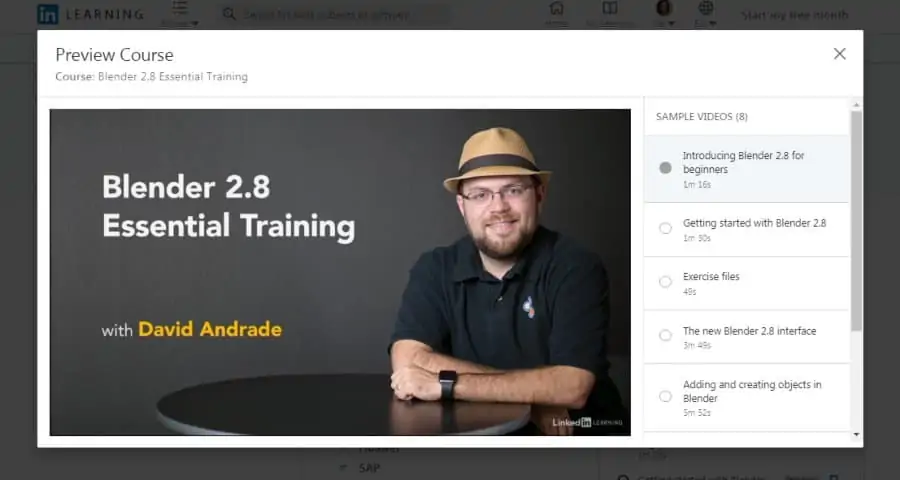
In this comprehensive 5-hour beginner training, you will be introduced to the Blender 2.8 user interface, 3D modeling, 3D animation, and the use of simulators to create fluid/smoke effects.
For this class, you will be taught by David Andrade, an award-winning animator who has worked on blockbuster series such as Percy Jackson and games like Transformers. So for real-world experience from an industry pro, this is an invaluable resource.
Included in this online Blender 3D course are various lessons that cover a thorough overview of 3D modeling in Blender, how to use the interface, scene layout, sculpting, textures, shading, animation, simulation, dynamics, rendering, 2D animation, and VFX styling.
Currently, you can find David’s course on LinkedIn Learning which also includes downloadable files, textures, and UV maps that are used in the course for students to follow along with. There is also a certificate of completion available for those that finish! Overall, this is a fantastic beginner-level online course that introduces many of the basics of Blender 3D 2.8.
- 5 hours
- Introductory course
- Award-winning instructor
- 1-month free trial
- Lessons on game development
- Over 17,000 students
- Certificate of completion available
4. 3D Modeling Masterclass for Complete Blender 3D Beginners (Skillshare)
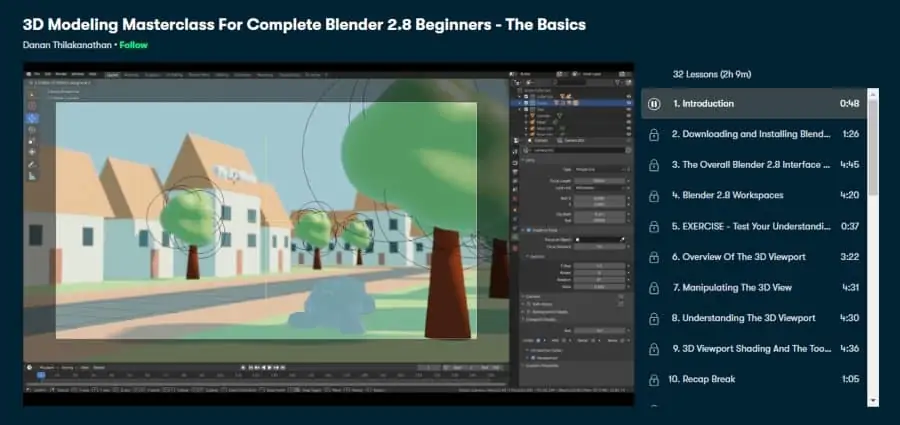
Next on my list is a 2-hour beginner course available on Skillshare which is broken down into 32 bite-sized lessons on 3D modeling.
Your instructor will be Danan Thilakanathan, a software developer who spends his free time pursuing his passion for animation and tutoring Blender. His teaching style is also very easy to understand and follow.
Danan first introduces you to the Blender interface and layout, before teaching you about the 3D viewport and object types in Blender. After covering this theory, he gives you a walk-through of how to create a model that includes using meshes, textures, and how to adjust the lighting.
Danan’s course, along with many other online Blender courses, is available at Skillshare for free when using the 1-month free trial. Overall, this online Blender 3D course is great for those who want to learn digestible lessons that can be viewed in only a few minutes.
- 2 hours
- Bite-sized lessons
- Introductory course
- Over 200 students
- Highly rated instructor
Activate FREE Skillshare Trial
5. Blender Essential Training (LinkedIn Learning)
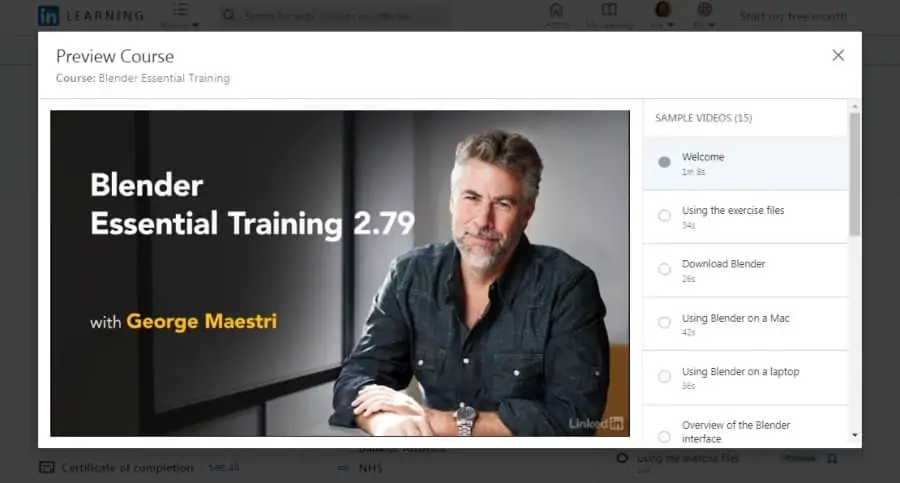
Blender Essential Training is one of the most popular and extensive Blender courses on LinkedIn Learning right now, with over 50,000 viewers. Course lessons are also extremely well made and clearly laid out. Just be aware this class is a total of 9-hours, so it’s not for the faint of heart!
For this course, you will be led by George Maestri, who has produced famous TV shows such as South Park and has 70 courses available on LinkedIn Learning, which teach Maya, SketchUp, and Unity.
George kicks off with a tour of the Blender interface and an explanation of orienting objects in the program. He then covers meshing, shaders, textures, adjusting camera angles, animation, rigging, and rendering.
Also included with this course are short quizzes to consolidate the information you have learned. If you have a weekend spare to learn Blender, this is definitely a worthy choice.
So for those who want an exhaustive introduction to Blender 3D and don’t want to compromise on quality, this tutorial can’t be missed!
- 9 hours
- Most popular Blender course on LinkedIn Learning
- In-depth
- 1-month free trial
- Over 49,000 students
- Certificate of completion available
6. Complete Blender Creator: Learn 3D Modelling for Beginners (Udemy)
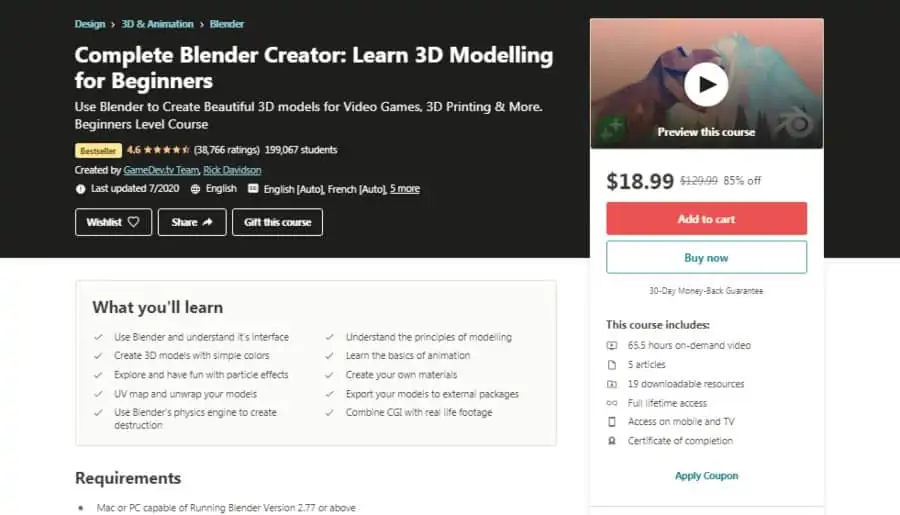
This bestselling Udemy course is for those who truly want to put in the time to get good at Blender. The instructor takes a unique approach by taking you through a series of projects to demonstrate different features of Blender over a whole 65 hours of on-demand video lectures.
Your teacher will be Michael Bridges, a master of the Blender software. Michael is very active in the community discussion forum associated with this course and is always willing to answer students’ questions.
Michael kicks off by going teaching the basic theory behind the software, followed by creating a basic 3D model. You’ll then learn a little about bevel vertices and Bézier curves and be guided through the modeling of a bowling ball and pin scene. This is followed by modeling a fluffy bunny and some simple game assets.
Given the huge amount of video content and the active community forum, this course may well give you the best bang for your buck of any on this list. For an engaging tour of Blender and a walkthrough of how to create some professional 3D models and animations, check this one out.
- 65 hours
- Extremely comprehensive
- Active community forum
- Certificate of completion available
- Over 199,000 students
7. Basic 3D Animation using Blender (edX)
This is the first course in my list which specifically focuses on animation, so if that’s the area you’re interested in, this could be for you. You should have a firm grasp of 3D modeling before starting this course.
Your instructors will be Sameer Sahasrabudhe, Sneha Sanglikar, Nitin Ayer, and Kaumudi Sahasrabudhe. They have decades of combined experience using Blender and have conducted several Blender training workshops across India.
There are 4 weeks of content, in which the basics of key-framing, timing, and animation principles will be covered in detail. Throughout the course, you will find quizzes and assignments to improve your learning.
You can find this course on edX, which offers 2000 courses from institutions such as Harvard and MIT. You can always access the courses for free, only paying if you want the certificate. This tutorial is a great option for budding 3D animators.
- 4-week course
- Focused on 3D animation
- Experienced instructors
- Free course
- 4 expert instructors
8. Creating 3D environments in Blender (Udemy)
In this Udemy course, you’ll learn how to create stunningly detailed 3D environments in Blender. You will be guided through creating a medieval farmhouse, a castle, and street scenes.
Your instructor will be Rob Tuytel, an environment designer with more than 13 years of experience. His latest project, Batavia 1627 was a VR project produced for a Dutch museum, touring the Dutch East Indies capital, Batavia.
The first few chapters of this course introduce some basic concepts for using Blender and working with materials. You will then see these ideas applied in the modeling of everything from broken castle walls to weeds, twigs, and grass.
Creating 3D environments in Blender has had 58,000 students and is rated highly at 4.6 stars. A certificate of completion is offered too, so if you are looking to land a job designing video games or animated movies, taking this course might be a good idea.
- 66.5 hours
- Experienced instructor
- Best selling instructor
- Focused on 3D environments
- Certificate of completion available
- Over 58,000 students
9. Create & Design 3D House in Blender 2.8 (Skillshare)
For those who want to use Blender for architecture or interior design, this is your chance to learn how. Over 4 hours you will be guided through the creation of a modern 3D house, including modeling the floor, lights, and plants.
This course is led by Stephen Pearson, a freelance graphic designer who offers a range of very popular courses on Blender and Photoshop for both Udemy and Skillshare.
During this course, Stephen will demonstrate how to model every single element of a house, including the floor, pool and patio area, interior and exterior lights, plants and trees, blinds, and the couch. Finally, he takes you through render settings and post-processing.
Stephens course, along with thousands of others are available on Skillshare, which offers a 1-month free trial. Overall, this is one of the best online Blender 3D courses due to its easy-to-follow lessons and teacher.
- 4 hours
- Highly rated instructor
- Focused on modeling a 3D house
- 1-month free trial
- Over 1,200 students
Activate FREE Skillshare Trial
10. The Ultimate NEW BLENDER 2.8 Course A-Z (Udemy)
This great 19-hour beginner Blender course will teach you how to make awesome 3D animations. If you’re looking to get up to speed with what’s new in Blender 2.8, you’ll also find that here.
The teacher is Alex Cordebard, a Udemy instructor with more than 24,000 students. He has 8 years of experience as a 3D artist, and also runs a popular YouTube channel, BlenderMania. It’ clear from his videos that his teaching style is energetic and fun.
After taking you through the new features of Blender 2.8, Alex describes Blender essentials like textures, edges, and shading. You will then be guided through increasingly complex animation projects, such as modeling a bridge, 3D illustration, ball, and some rigid body physics animations.
This is a bestseller on Udemy with more than 6000 students. It’s clear Alex loves what he does, and his enthusiasm is infectious. I would recommend this course to any beginner who wants to learn animation from an entertaining, talented teacher.
- 19 hours
- Highly rated instructor
- Focused on Animation
- Best selling instructor
- Certificate of completion available
- Over 6,000 student
11. Blender Cloud Courses (Blender Cloud)
If you’re going to learn Blender, why not learn from Blender themselves right? They offer a whole variety of courses focused on game design, character modeling, Python scripting, and procedural shading.
These courses are taught by Blender professionals who use Blender for game design, animation, and VFX. For example, if you want to learn modeling, rigging, shading, and animation for cartoon characters, you can learn from Dillon Gu, creator of the cartoon series Katsu Cats.
There are 19 courses available on Blender Cloud, each teaching a different use case for Blender. While subscribing to Blender Cloud could be useful for beginners, having access to these courses is particularly useful if there are a few different things you want to use Blender for.
Along with the courses, a subscription to Blender Cloud gives you access to a whole bunch of high-quality textures and HDRIs which are not copyrighted. These all have the CC-0 license, so you are free to use them in your work. I would recommend Blender Cloud to anybody who wants to do something specific in Blender taught in one of these courses.
- 19 courses available
- High-quality textures and HDRIs included
- Tutorial cover a range of topics
- Offered by Blender
- Expert instructors
12. Blender Character Modeling For Beginners HD (Udemy)
In this Udemy course, you will be taught how to model a 3D human figure in Blender. Every last detail of the human anatomy is covered, from getting the nostrils right to modeling the hamstring muscles. While you will model a male human body, the system taught can be adapted to create a variety of characters.
You will be taught by Riven Phoenix, an incredibly talented character designer. He offers a few different courses on drawing the human figure, along with modeling and rigging in Blender. You can see his artwork at AlienThink.
After a general overview of the Blender program, Riven will teach you how to model each part of the human body individually. He begins with modeling the basic human form and then goes onto show you how to model the surface anatomy of various muscles on the body.
You can find this 16.5-hour course on Udemy. There is a certificate of completion available, along with a 30-day money-back guarantee if you don’t like the course for whatever reason. This is an excellent course for those who are specifically looking to create realistic 3D characters.
- 16.5 hours
- Certificate of completion available
- Experienced instructor
- Over 6,000 students
13. Blender 2.8 Character Creation (Udemy)
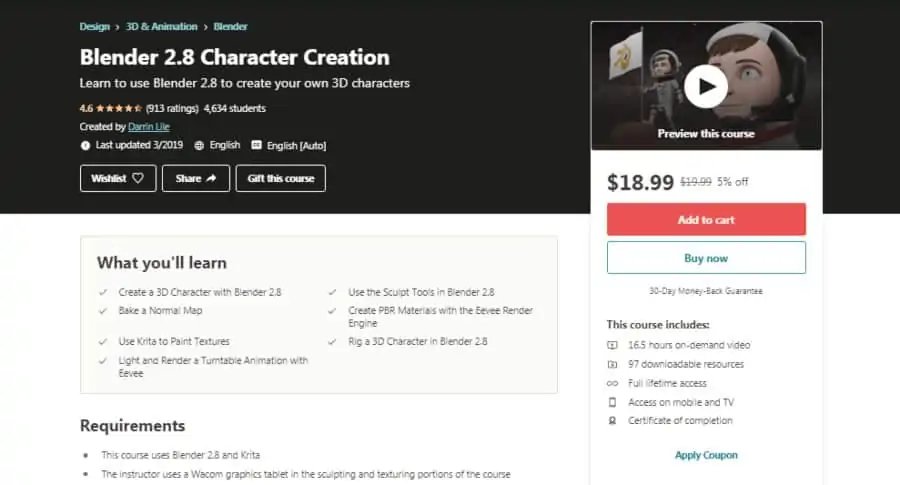
If making 3D cartoon characters is your thing, then you should enjoy this course. Over 16.5 hours, you’ll be taken through the process of creating a scene with a 3D cartoon astronaut holding a flag. You’ll model the character itself, along with its spacesuit.
The instructor is going to be Darrin Lile, an animator and faculty member at the Art Institute of Wisconsin. Along with creating excellent 3D modeling courses on LinkedIn Learning, he teaches 3D modeling to undergraduates. He also teaches millions through his tutorials on his YouTube channel.
Darrin begins with modeling the head and the entire body, before moving on to creating a spacesuit, helmet, and cap. Next, he takes you through UV mapping the character, adding materials and textures, rigging the character, and finishing with lighting, and rendering the scene.
Darrin’s course is available on LinkedIn Learning, along with his other training on UV mapping, rigging, texturing, and game design. You can get access to them all, along with thousands of other courses on the platform with their 1-month free trial. Overall, I highly recommend this online Blender 3D course to those who are interested in creating cartoon-style computer-animated characters.
- 16.5 hours
- Learn to create a 3D cartoon spaceman
- Certificate of completion available
- Over 4,000 students
- Experienced instructor
